

UI/UX design should help people complete meaningful tasks with less uncertainty and fewer errors. For SaaS, CRM, and mobile products, the difficult work often involves permissions, dense information, unfamiliar terminology, and exceptions. Attractive screens matter, but they need to be grounded in evidence about the people using the system. Begin with the task, test alternative approaches, and connect design decisions to implementation.
What this guide helps you decide
- Which workflows and controls to test before selecting UI/UX Design or another solution.
- What to validate for your team in UAE, including integrations and local requirements.
- How to move from a demonstration to a measured pilot without relying on unsupported feature claims.
Select a design partner through research and testing practice
A UI UX design agency Dubai businesses assess should explain how it connects research, product strategy, interaction design, and engineering. Review the reasoning behind relevant work, including what changed after testing. Visual style is useful evidence of craft, while successful task design requires a different kind of proof.
For bilingual mobile and web experiences, review right-to-left layouts, content ownership, terminology, and translated task flows. Recruit participants who resemble the intended audience and define what they must accomplish. Include accessibility and smaller-screen behaviour in the brief rather than treating them as finishing touches.
Agree what the engagement delivers: prioritised findings, flows, prototypes, components, content rules, and implementation review. Make source-file access and handover responsibilities explicit. After launch, measure important tasks and support problems so a redesign can be evaluated against the original business goal rather than a subjective preference for new visuals.
Official references: W3C accessibility guidance
Research the decisions behind the interface
Interview representative users and observe the work where possible. Ask what information they need, which decisions are difficult, and what they do when a process fails. Separate assumptions from evidence. A stakeholder preference is a useful input, but it is not a substitute for understanding a sales representative, administrator, or customer.
Map current journeys, handoffs, and repeated errors. Prioritise tasks by frequency, impact, and the cost of getting them wrong. Define practical success measures such as finding a record correctly or completing a request without help. Include new users and experienced staff so the design does not optimise only for one group.
Prototype full tasks and their exceptions
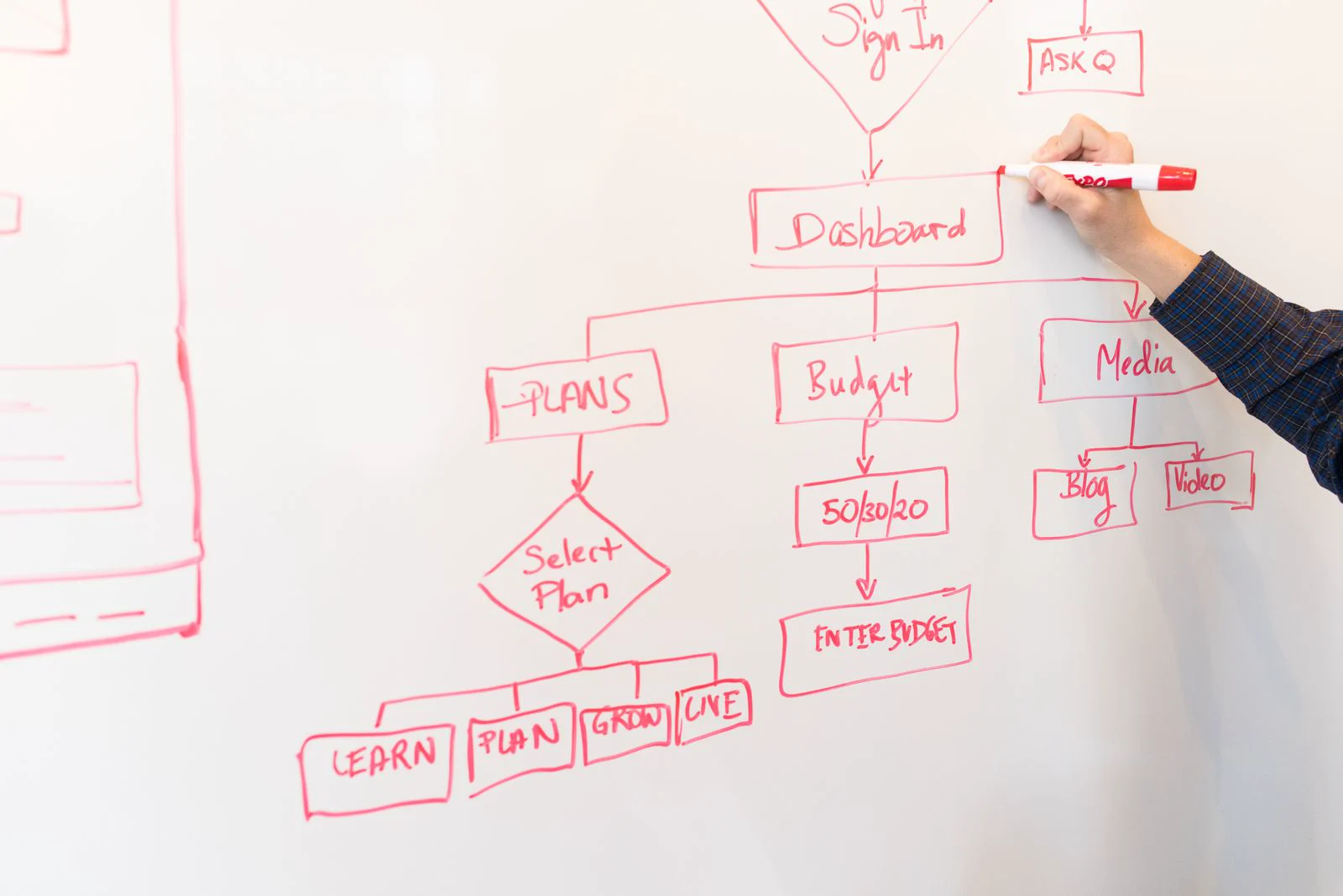
Move from information structure to low-detail flows before polishing every visual element. Test navigation, terminology, hierarchy, and the sequence of decisions. A clickable success path is incomplete without empty states, validation, permission limits, loading, and recovery. Use realistic anonymised content so long names and dense records do not appear only during development.
Run focused usability sessions with tasks and observable outcomes. Avoid coaching participants through confusing steps. Record what happened, identify likely causes, revise, and retest important changes. A small round of useful evidence is more actionable than a large presentation of opinions without a clear next decision.

Build accessible components and implementation rules
Define typography, spacing, colour, states, and reusable components around the product's needs. Review contrast, focus order, keyboard behaviour, labels, error identification, and touch interaction. W3C guidance offers an accessibility reference; meeting a checklist in a design file does not establish that the built product is accessible.
Document behaviour and content rules alongside visual specifications. Explain what a component does with long text, missing data, restricted access, and smaller screens. Involve engineers early when a concept depends on difficult data or platform capabilities. A design system is useful when teams can apply it consistently, not only when its component gallery looks complete.
Plan handover and measure the shipped result
Agree who owns source files, prototypes, research summaries, and reusable assets. Provide prioritised decisions and acceptance examples rather than leaving engineers to infer behaviour from static screens. Review the implementation against important tasks and record any changes needed for platform or data constraints.
After release, combine support feedback, task observation, and appropriate analytics. Compare results with the original baseline and investigate differences between user groups. Budget for refinement where real usage reveals friction. Good design is an ongoing operating practice rather than a single visual refresh promised to solve every business problem.
A practical discovery and evaluation brief
An illustrative Dubai service business wants customers to request a quotation on mobile. Test whether users understand the required information, correct an error, and recognise a successful submission in both supported languages. Review the prototype with the implementation team and agree how the live journey will be measured after launch.
Give each shortlisted provider the same script and record whether the result was demonstrated, proposed as configuration, dependent on an integration, or outside scope. A verbal yes is not the same as a repeatable test.
- Bring actual tasks and anonymised screen examples.
- Observe a user completing a prototype task.
- Inspect errors, empty states, and accessibility decisions.
- Agree implementation review and post-launch measures.
Ask for a written summary of required licences, user access, data preparation, hardware, integrations, training, and support. Include the cost and owner of any dependency. This makes quotations comparable and reduces surprises during delivery.

Plan a controlled rollout
1. Agree on the first useful outcome
Choose a limited team, location, or workflow and name a business owner. Document how the process works today, where it fails, and what a successful pilot would change. Avoid making every historical exception a launch requirement. Separate essential controls from improvements that can wait for a later phase.
2. Prepare and validate the data
Identify the authoritative records, remove duplicates, agree field mappings, and test an import with a small sample. Keep a reconciliation record and obtain approval before moving the full dataset. Use fictional or anonymised information during demonstrations, particularly when records include employee, patient, or buyer details.
3. Train around tasks and exceptions
Teach staff how to complete their daily work and how to recover from common mistakes. Assign permissions according to responsibility, confirm who can approve changes, and rehearse the support route. Keep a short operating procedure for outages, rejected transactions, or unavailable integrations.
4. Review evidence before expanding
Compare task completion, errors, time on important tasks, and support needs before and after the change. Compare like-for-like periods and investigate the reasons behind changes. A pilot is ready to expand when staff can operate it consistently, important balances reconcile, and unresolved issues have an agreed owner and plan.
Frequently asked questions
How is UI/UX Design priced?
Ask for an itemised quotation after the team understands the users, scope, integrations, data, quality requirements, and operating responsibilities. A useful estimate distinguishes delivery effort from licences, hosting, provider usage, and ongoing support. The pricing discussions in this guide explain cost drivers; they are not verified market averages or a binding offer. Compare proposals against matching acceptance criteria and record the date and assumptions of any third-party rates.
How long should the first release take?
The schedule depends on scope, available content and data, technical uncertainty, reviewer availability, and external approvals. Ask for discovery, design or preparation, implementation, testing, pilot, and handover milestones. Each should have a named owner and an acceptance condition. A smaller first release can reduce uncertainty without removing essential quality or operating controls. Confirm an actual delivery range only after the important dependencies have been reviewed.
Can the solution connect to our existing systems?
Integration depends on available interfaces, access permissions, data quality, vendor restrictions, and the agreed direction of synchronisation. Bring documentation and an anonymised example to discovery. Test a representative connection and a failed request early. A similar-looking feature in another project is not proof that your integration is included. Record maintenance ownership, recurring charges, and recovery behaviour in the scope before production use.