NexaCRM

NexaCRM for Smarter Sales and Growth

Streamline leads, strengthen customer relationships, and automate your sales processes. Empower your team to close more deals and accelerate business growth.
Business software
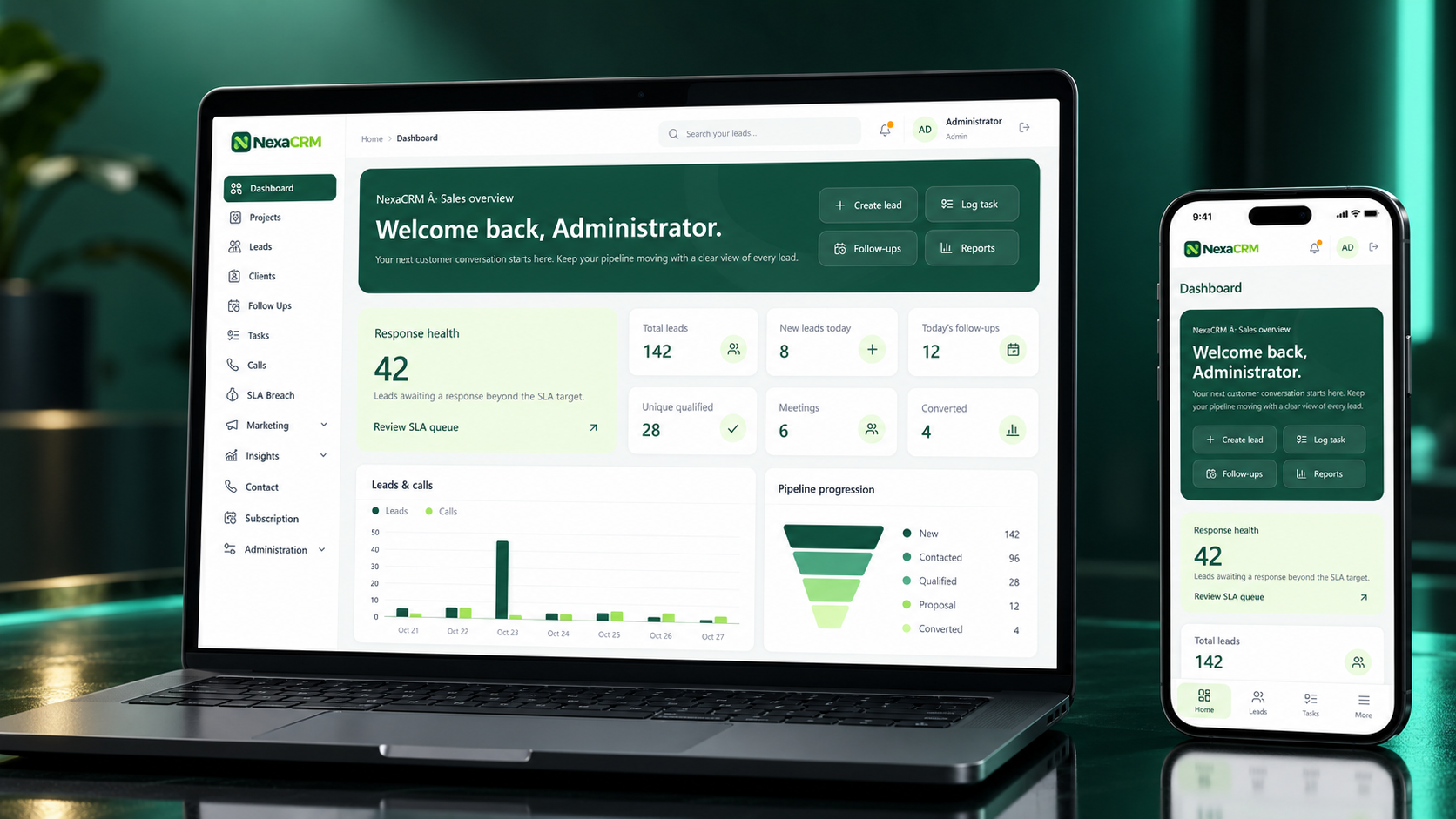
Sales overview
Web platform
Smarter Sales and Growth
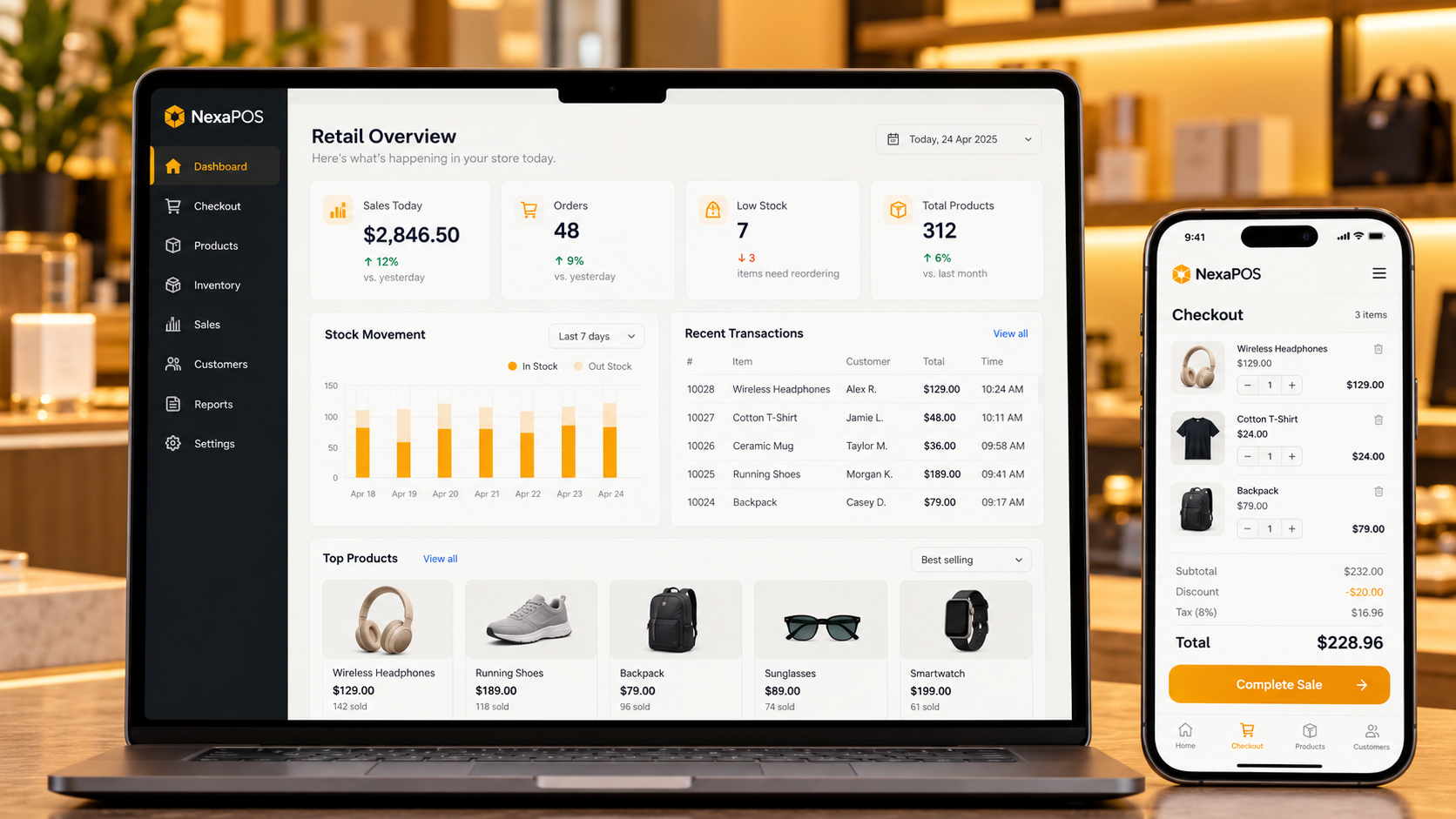
NexaCRM dashboard on laptop and mobile — product UI concept with illustrative data

Turn every conversation into a clear next step.

About NexaCRM

Keep Lead managementand customer history connected so your sales team can focus on relationships and timely follow-ups.

Streamline leads, strengthen customer relationships, and automate your sales processes. Empower your team to close more deals and accelerate business growth.

KEY FEATURES

Key features of NexaCRM

Explore the capabilities designed to support your team’s everyday work.

  • Visual sales pipeline
    assign enquiries with a clear owner and status.
  • Customer profiles
    across stages and keep the next action visible.
  • Follow-up reminders
    contact details, notes and relationship history together.
  • Sales reporting
    and tasks so important conversations keep moving.
01
Lead management
02
Visual sales pipeline
03
Customer profiles
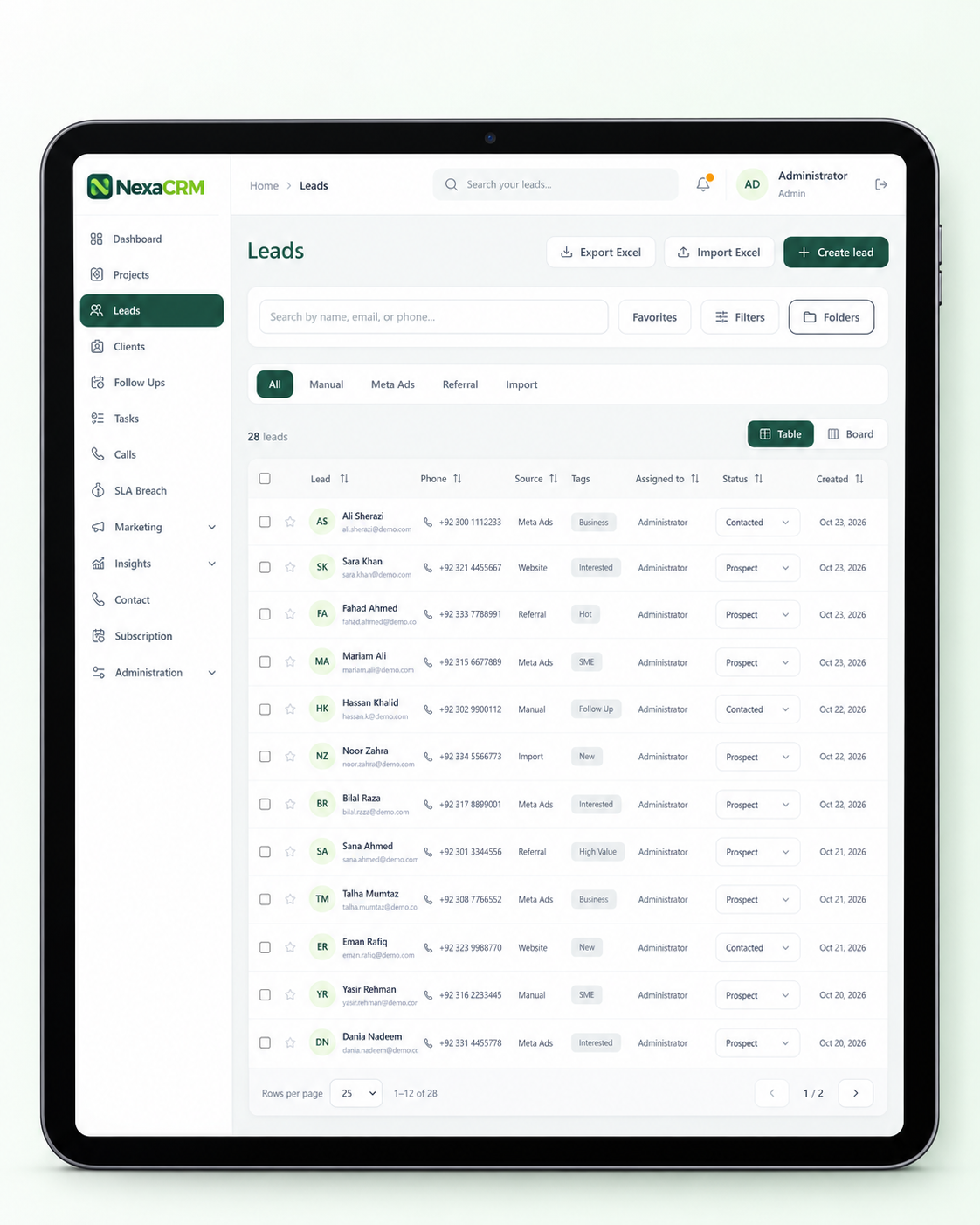
NexaCRM lead management on tablet — product UI concept with illustrative data
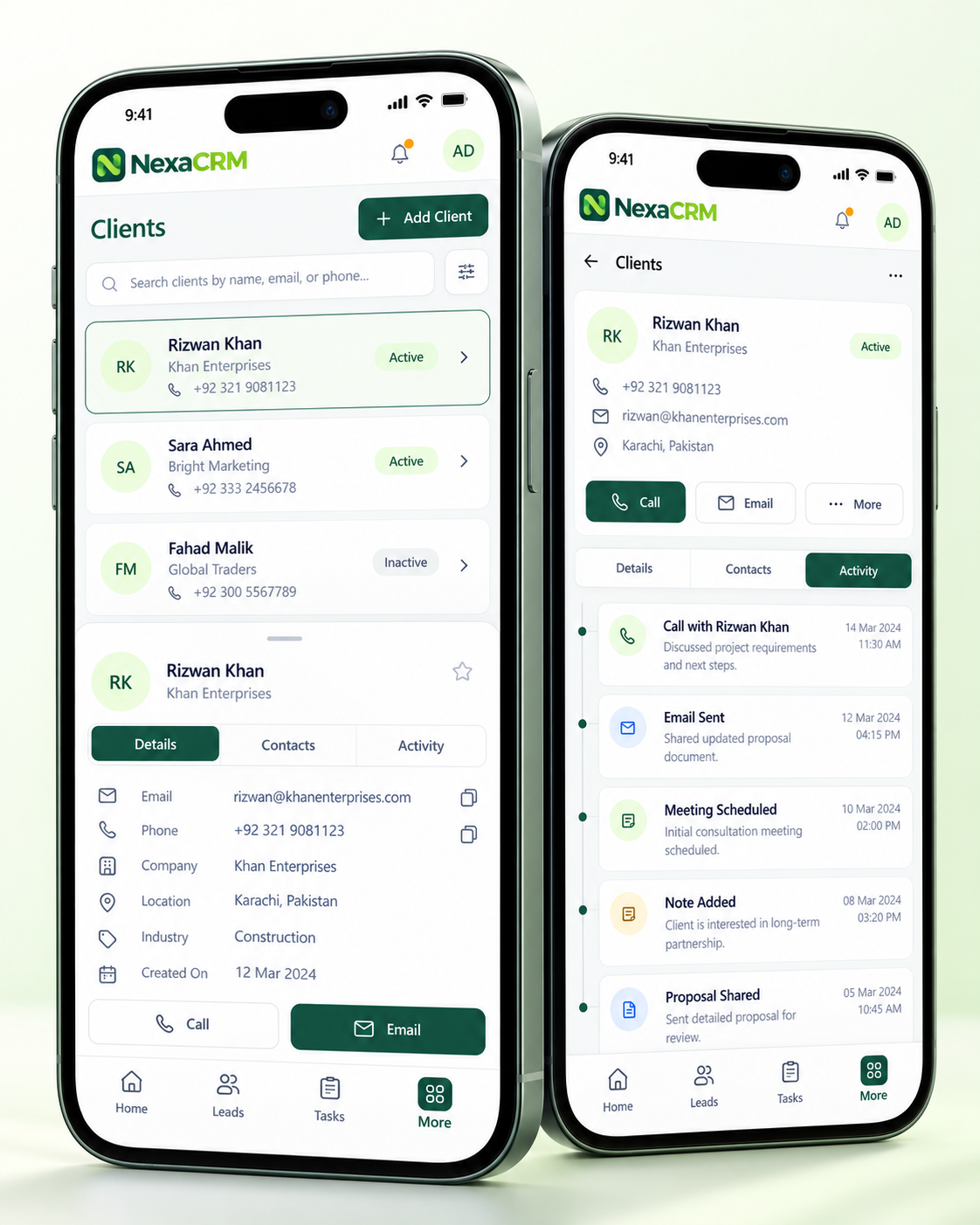
NexaCRM client list and activity on mobile — product UI concept with illustrative data
OUR VALUE

Everything your sales team needs to move forward

/01

Sales performance dashboard

See lead activity, response health and pipeline progress together in one clear daily view.
/02

Lead capture & management

Organize new enquiries, contact details, sources and sales status in one searchable lead list.
/03

Visual sales pipeline

Review opportunities in board view and follow progress from prospect to converted customer.
/04

Customer records

Keep client information and relationship context organized for more informed conversations.
/05

Follow-up scheduling

Plan the next conversation and keep upcoming customer follow-ups visible to your team.
/06

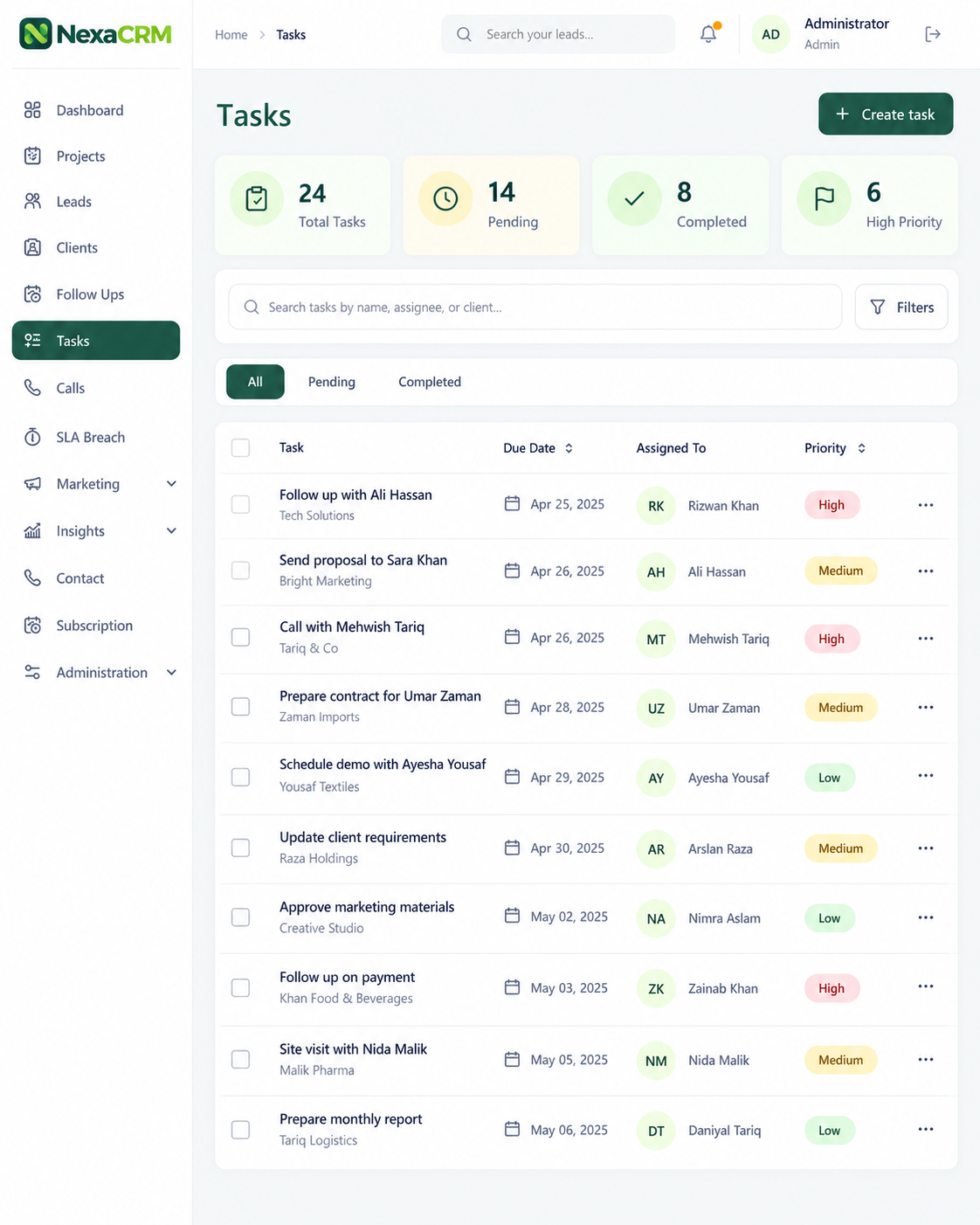
Task management

Create sales tasks, assign responsibilities and track the actions that need attention.
/07

Call activity tracking

Keep call activity connected to your sales workflow and customer follow-up priorities.
/08

Response SLA monitoring

Identify enquiries awaiting a response and focus on leads that need timely attention.
/09

Marketing source tracking

Distinguish manual enquiries, Meta Ads, referrals and imports to understand where leads originate.
/10

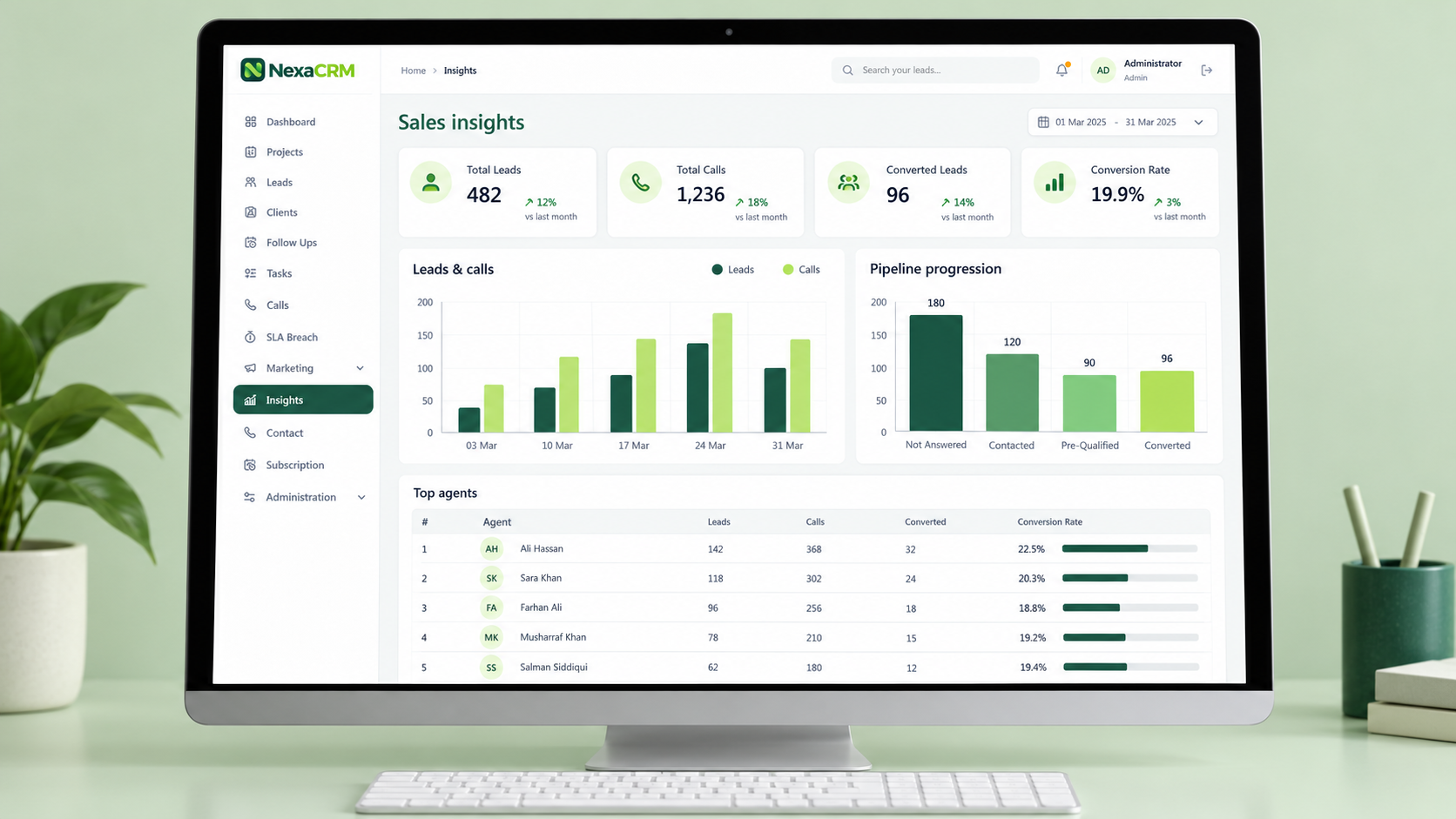
Sales insights & reports

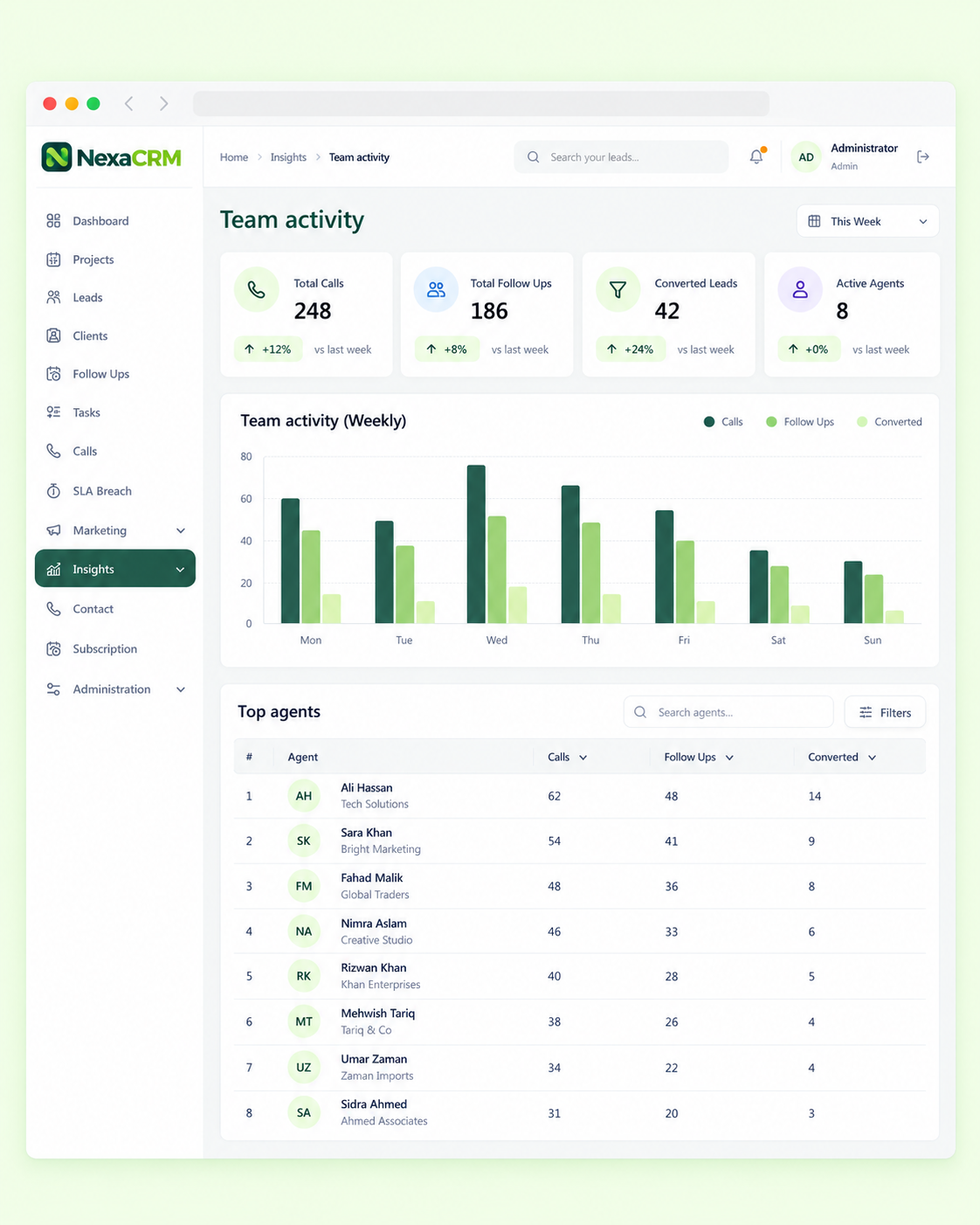
Review lead and call trends, pipeline progression and team activity in dedicated reports.
/11

Project coordination

Organize related sales work by project so your team can keep activity in context.
/12

Lead ownership & assignment

Give each lead a clear owner and make team responsibilities easy to review.
/13

Excel import & export

Bring existing lead records into your CRM and export lists for further review.
/14

Advanced search & filters

Find relevant leads by name, email or phone and narrow the list with focused filters.
/15

Folders & favorites

Group important records into folders and mark priority leads for quick access.
/16

Customer communication

Keep contact information easy to reach when it is time to call or continue a conversation.
/17

Role-based administration

Manage administrative access and organize responsibilities for the people using your CRM.
/18

Subscription overview

Keep subscription information accessible alongside the tools your team uses every day.
Book a call
Book a call
YOUR DAILY OPERATIONS

Built around your daily priorities

Keep leads, deals and customer history connected so your sales team can focus on relationships and timely follow-ups.

Keep your team focused on the next action.

  • Team collaborationmanagement: Capture, organize and assign enquiries with a clear owner and status.
  • Lead managementsales pipeline: Track opportunities across stages and keep the next action visible.

Customer profiles: Keep contact details, notes and relationshiphistory together.

Keep leads, deals and customer history connected so your sales team can focus on relationships and timely follow-ups.

Keep your team focused on the next action.

NexaCRM sales insights on desktop monitor — product UI concept with illustrative data
HOW IT WORKS

A connected workflow from start to finish

Bring essential tasks into one organized experience.

Visual sales pipeline

Capture, organize and assign enquiries with a clear owner and status.

Customer profiles

Track opportunities across stages and keep the next action visible.

Follow-up reminders

Keep contact details, notes and relationship history together.

  • Sales reporting Each auction is represented by a card containing only useful information:
    • Team collaborationreminders
    • Lead managementand tasks so important conversations keep moving.
    • Visual sales pipelinereporting
    • Customer profilesand team activity to guide sales decisions.
  • Follow-up reminderscollaboration

Share deal context and responsibilities across your sales team.
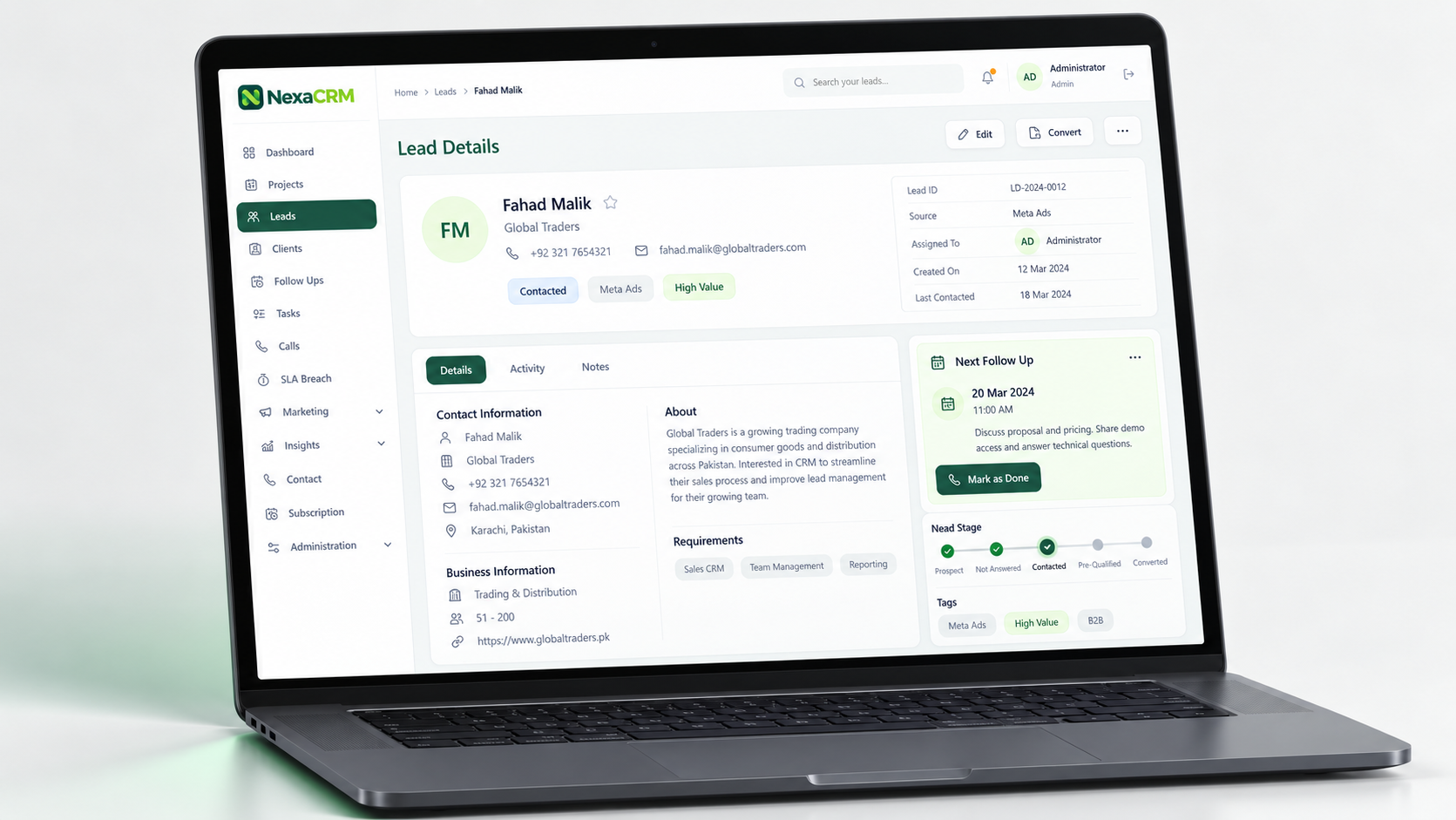
NexaCRM lead details on laptop — product UI concept with illustrative data
NexaCRM task management screen — product UI concept with illustrative data
NexaCRM team activity in browser — product UI concept with illustrative data
GET STARTED

Explore NexaCRM with your team

Request a 14-day free trial of NexaCRM to explore the right setup for your business.

Keep leads, deals and customer history connected so your sales team can focus on relationships and timely follow-ups.
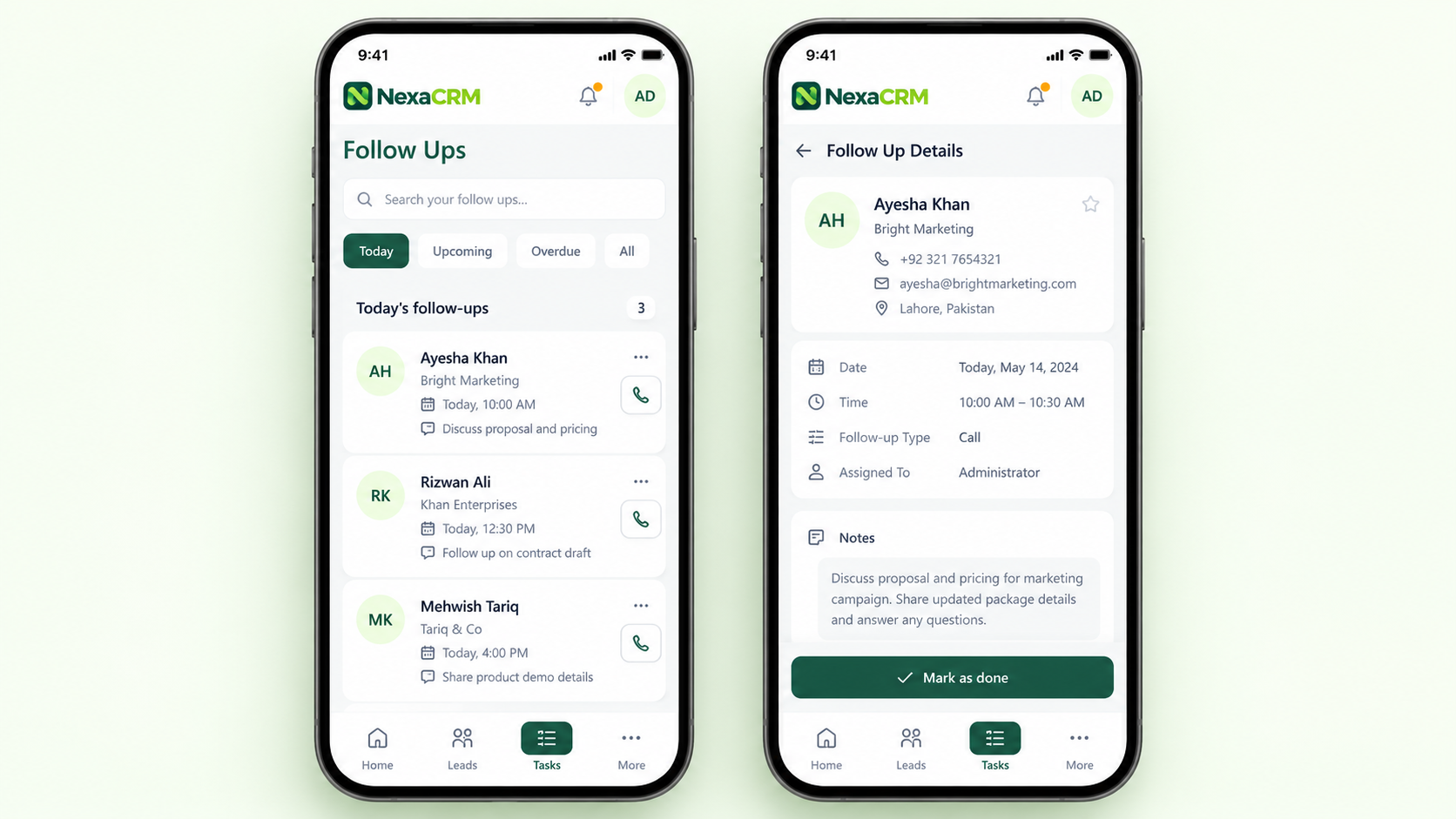

NexaCRM mobile follow-up list and detail — product UI concept with illustrative data
Soft blue gradient blur with a crescent shape fading into black background at the bottom center.